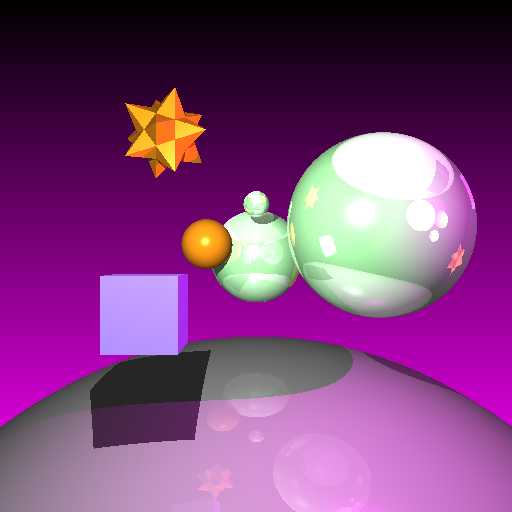
Tuesday, July 11, 2006

Solid Texturing, Checkerboard working

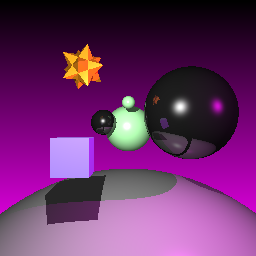
Last night I wrote some setup for Solid Texturing and it looked pretty nuts, it turns out this was an Aliasing issue and I actually did have it correct.

After zooming in more closely to the pixels it's clear that the checkerboard is better and has less Aliasing problems.


Texture object support, attached to Materials


Crazy Aliasing issue with Checkerboard Solid Texture


More crazy texture stuff


Checkerboard closer up with less Aliasing


Checkerboard straight on looks correct

Monday, July 10, 2006

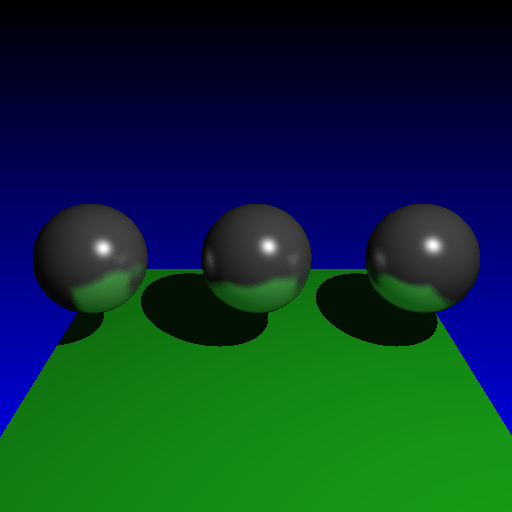
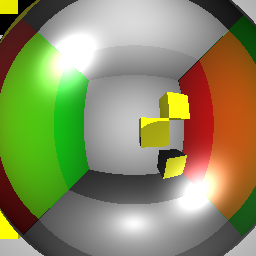
Glossy Reflection

This afternoon I hung out at the Graphics Lab for a bit and wrote Glossy Reflections. This is a different sort of reflection, it's a bit fuzzy and gives a sort of sorter, diffuse reflection look. I am perturbing the normals with a random amount in a cone shape around the specular reflection vector, and then doing a whole bunch of samples.


Regular specular "perfect" reflection


Glossy reflections!! This is with an intensity set to 0.4.


Glossy reflections with an intensity set to 0.6.


Glossy reflections with 1.0 intensity. I don't think this looks as good as the other ones, I'll likely use 0.4 or 0.5 or so, that is pretty nice.

Sunday, July 09, 2006

Vertex Normal Interpolation Done!

Tonight I wrote Vertex Normal Interpolation. Matt was awesome and helped me out with some of the LUA stuff so that is good cause I definitely prefer to be working on the cool stuff rather than just dealing with LUA issues. Awesome!!!!!!!

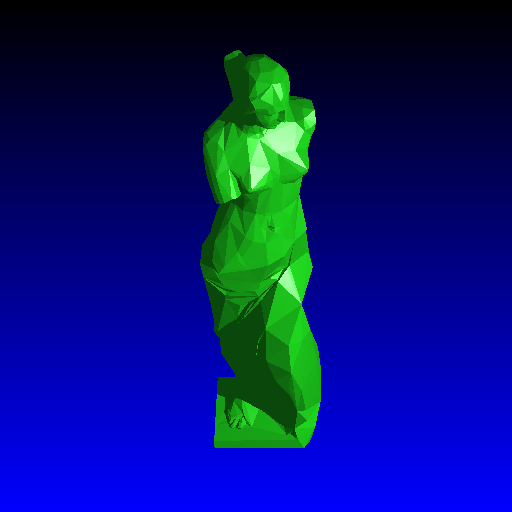
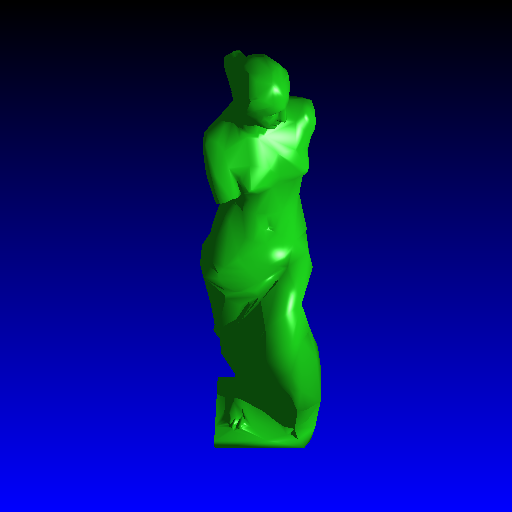
This looks totally sweet, and I am really happy with it. I added Vertex Normal Interpolation tonight, which reads the vertex normals from the supplied OBJ file and then interpolates these across each face. This gives a muuuuch nicer, smooth look to the rendered images instead of the usual facet look. Check out this test image I just made of a Venus De Milo statue.


Venus De Milo statue with no vertex normals (note the facet look)


Ooooh!! Fancy eh!! Hehe this is great, so this is a smoothed mesh due to Vertex Normal Interpolation


My table scene rendered with my Grid Acceleration, and with a higher refraction depth, and with no vertex interpolation. Note it is still really facety. I will try rendering this again soon with my vertex normal interpolation to see how it looks, that should smooth it out so it is not facety anymore and it will look more like real glass!

Raytracer Revised Proposal

Now that we have already handed in the Proposal for our Raytracer Project and it's been marked already and given back, I figured I'd post it online here for any of you who are interested in what specifically I am doing for my Raytracer Project.

In total we have about 2.5 weeks for the project, so I am about 4 or 5 days into it now and I've finished 2 of the objectives, one of which is Spatial Subdivisions which is the hardest one (by about 3x) :)

You can check out my Raytracer Project Revised Proposal here: http://www.mikejutan.com/MikeJutan_RaytracerProjectProposal.pdf

Essay writing time

Today was pretty chill which was sweet. I needed to take some time off Programming cause it's been pretty nuts over the past few days and it's nice to have a little break. I suppose it isn't technically a "real" break since I was just doing work for other classes, but it works for me! I wrote my essay for my History & Film class today, it is supposed to be a study of a film which has a serious message about a historical event, and I was going to go with a serious movie but instead decided to do something a bit less straightforward, but more fun I think.

I wrote it about The Big Lebowski, which is suuuuuchh an awesome movie and on the surface is totally ridiculous and really funny. I reckon it's a pretty sweet movie though because it has a lot of serious messages too about the effect of War on the human psyche, and I ended up having a lot to write about for this. I also ended up researching about Vietnam, about the US involvement in Vietnam and about the kinds of protests in the US about the War. So that was pretty interesting and I ended up doing a fair bit of research which was pretty good because I learned some new things.

Matt and Matt watched the movie Ghostbusters tonight which is sweet cause that movie is amazing. I watched a bit of it but not all of it cause I had to write my essay. I wanted to do my Fine Arts tonight but the essay took a bit longer than expected and I wanted to do a good job on it so I spent a bit longer than I had planned on it. Anyway that's not a big deal, and I'll return to Fine Arts and programming tomorrow. Sweet.

After finishing my essay tonight I watched some Simpsons which was pretty sweet. I gotta get back to sleeping at a decent time cause it's 3:30am right now and I am not tired at all. I guess that's cause I've been going to bed at 5am for the past 2 weeks. :)

Anyway I guess that's all that's happening at the moment. My buddy Alex is coming to hang out tomorrow night for a bit which will be awesome and hopefully I'll get up at a more decent hour tomorrow so I get some work done before Alex gets here.

When I get Fine Arts done tomorrow I am going to switch back to Graphics and I think I am going to implement Vertex Normal interpolation next, and that'll make my mesh objects look a lot more smooth which will be great. Oh yeah also I've been listening to the Dave Matthews Toronto concert a bit more lately and it rocks. I can't wait for the next studio album, I bet it is going to be totally super awesome.

Saturday, July 08, 2006

Just hangin' out tonight

Since I finished Spatial Subdivisions this afternoon which was a bit ahead of my expectations, I took the afternoon and evening off, I hung out with my Sister for a bit and also chatted with Matt and Matt when they got home, they have been in Toronto all day looking for apartments, and Matt I think is going to move in sometime in August which is cool. I guess they just found a really nice one which is super cool and it sounds like it has a nice view of the lake.

I was going to write my essay for History tonight but I decided just to do nothing instead, I kinda needed a break. Tomorrow I gotta write my History essay and then get some work done for my Fine Arts animation for next week. After this stuff is done I can get back to the Raytracer. I think my next goal is Vertex Normal Interpolation which should be pretty easy compared to Spatial Subdivisions!

I should go to bed soon but I better watch another Simpsons episode first.

Friday, July 07, 2006

Spatial Subdivisions fully and totally working!!

Yeeeeeeahhh!!! Man I am totally psyched about this. This afternoon, I spent about 2 more hours on Spatial Subdivisons and totally figured out the problem with Hierarchical modeling not working! It actually had nothing to do with my MCS AABB-> WCS OBB -> WCS AABB bounding box conversion like I had assumed. That was actually totally fine and working perfectly. It turned out to be something totally ridiculous/a silly mistake - I was looping over the primitives inside the current voxel and returning the first one I found with the closest intersection point which was still inside the current voxel... i.e. I was returning early before checking all the primitives in the Voxel's primitive list!!!! Silly mistake but it was an awesome fix - just move the return value outside of the for loop, and my entire hierarchical problem was fixed!! That is soooo freakin' awesome, I was hoping to get this done today and I totally did, that rocks.

Anyway I also used Physically Based Rendering by Matt Pharr and Greg Humphreys, holy crud that book is totally awesome. I had an issue that I couldn't resolve and they totally explain it in that book and I was really impressed with the clarity and the efficiency of their explanation and code implementation. Sweeeet!! I used Physically Based Rendering to use the World Coordinate System Axis-Aligned Bounding Boxes to place the objects inside Voxels, rather than doing the other method of transforming the Voxel into Model Coordinate Space or something gross like that and then doing the Intersection there. I was considering that, but this approach that Pharr mentions is much better and easier to implement so I went with that.

So this totally ROCKS now that it's done. I ran Matt Lausch's refraction test with multiple hierarchical spheres in the background. Without Subdivisions: 25 seconds... with Subdivisions.... wait fooor itt... waiiit fooor itt..... 10 seconds!!!!!!!!!! Amazing!! This is some awesome speedup/Raytracing efficiency. I guess you can do even better if you have an Adaptive Method, but this is good enough for now. Good times!!

Here are some renders and even more impressively (to me anyway) hehe is the render stats!!! This is great. This is going to make my final image render sooooo much faster!! I have also implemented it in such a way that this speedup affects secondary recursive rays (eg. reflection and refraction) too so that will in turn also speed up my render time. This roooccksss.

Here are some images from today!


Hierarchical rendering with Grid subdivisions working


Render time with no subdivision speedup - 25 seconds


Image rendered in 25 seconds


Render time with subdivision speedup - 10 seconds


Image rendered in 10 seconds, note it is the same as the image above

Thursday, July 06, 2006

Sweet, super fast Sphere rendering!

Tonight was really good for my Raytracer work. It was more chill as well because I finally got some stuff to work and it was less algorithm/super hard programming and more just sorting out some data structures and stuff. Awesome!

I managed to figure out the huge issue that was causing me a bunch of problems. In the pictures I am posting tonight I'll show the problem I had last night with the grid intersections returning some weird stuff and what it looks like now that I fixed it. Right on.

I still appear to be having an issue with Hierarchical Modeling and perhaps the bounding box conversion from Modeling Coordinate Space to World Coordinate Space - I am not sure for certain, I probably need to talk to my Prof about that. But, it is now drawing something, I am just getting some weird clipping issues. But anyway, onto more exciting things!! I added box-sphere intersection code so now I am associating spheres with voxels. Crazy, eh?!

Turns out that I can render a grid of spheres with reflection depth of 3 and refraction depth of 3 with my Naive Raytracing method in 288 seconds, and with my *fancy* nnneeeewwww Spatial Subdivision method in... wait for it... wait forrrr ittttt... 128 seconds!!!!!!!!! Yeeeehhhhaaww!! This is AWESOME as it is really the first sign that my Spatial Subdivision method *actually* works. Wicked!! This is roughly a savings of approximately 55%, i.e. over half the render time. Amazing. Of course this is based completely on the setup of my scene, how many objects are in it and so on, but this is looking pretty good. As long as I can get this working for Hierarchical Modeling, then I can use this to render my final scenes. This is great news!! Of course it may not affect my meshes as well as this, but at least it's actually working. I am totally psyched that I am most of the way there on this. Kinda ridiculous pace though - it's Thursday night and I've only been working on this since Tuesday afternoon... oy. So about 3 days and 25 hours later, I've mostly finished Spatial Subdivisions. I am reallllly looking forward to the easier objectives after this one. :)

Here's some more pretty pictures from today.


Grid from last night with a stripe in the reflection that is incorrect


Fixed intersection code from this afternoon


Some problems I am still having with Spatial Subdivisions in a hierarchical modeling scene


Sphere grid using naive raytracing method - 279 seconds to render


Sphere grid using Spatial Subdivisions (9x9x9) raytracing method - 128 seconds to render (note this is exactly the same as the image above which is good!)

Wednesday, July 05, 2006

Looks like Voxel Traversal is working

Hey all,

I spent another good 8-10 hours programming today, ohhh man I am pretty tired. But good news, I totally rocked my Propositional Logic Midterm, I got it back today and I was really happy with it. That rocks cause usually I have too much to do at Midterms and I don't do as well as I want, but this term I think it went pretty well.

Anyway I am pretty tired so I am going to reboot into Windows and do some drawing tonight, I am done with programming for the evening I think. Seems to have gone pretty well though, I wrote the Voxel Traversal today, and although there are some problems (it doesn't seem to be working for hierarchical modeling yet, probably a coordinate system translation problem), and I got some slightly incorrect reflections, it is generally working. I still need to associate the correct primitives with the correct boxes and so on, but it appears that my Voxel Traversal is mostly working, so I guess that's not too shabby. Still got lots to do for this project but Matt is being awesome and telling me not to get worked up and just keep working at it like I am, and I'll get it all done.

Here's another pretty picture, my first rendering with grid traversal!


Sphere scene with some more reflection

Tuesday, July 04, 2006

Spatial Subdivisions... here we go

Today I spent a long time re-arranging a whole bunch of code to try to get Spatial Subdivisions started correctly. I had to write Axis-Aligned Bounding Boxes for every primitive, write methods to convert these between spaces (and when they get turned into Oriented Bounding Boxes, to convert them back to the correct kind of Axis-Aligned Bounding Boxes)... oh man!! Crazyness.

Anyway after all of that, I setup my 3D Voxel Grid, and calculated the extent of my scene. I don't think I am totally doing this right, but it is sortof right. At least it looks like my Voxels are being created correctly and they are all the right dimensions. Then I started the 3D-DDA algorithm, attempting to trace my ray through the Voxels. I think I currently have a problem where my Ray origin is not inside a Voxel and I have to move the ray up to the point of the first Voxel, or something like that. Either way, this is nuts. Especially nuts that I am trying to do this in like 2 days, while researching the Siggraph Papers and trying to understand what to do. Insane. Anyway hopefully I can get this figured out. I wrote a LOT of code for this today, so I don't want it to go to waste or to be silly and give up on this. I do have a week to decide if I am going to do these subdivisions or not, so we'll see how it goes. I want to do this but I only have 2.5 weeks for the whole project, and I have 10 objectives total. I have only done 1 so far (refraction) as you can see from my earlier posts, so it is a pretty limited time to learn all this stuff and implement it. Hehe oh yeah, I better remember to do my homework for my 4 other classes too. :)

Well anyway, although this is pretty darn complicated, I have already learned a lot today about Axis-Aligned Bounding Boxes vs. Oriented Bounding Boxes, and how to make sure you convert these correctly between spaces, that was pretty cool. Also I guess I got a lot further than I expected in the first go at this. I've only spent 10 hours or so on this tonight, and I am already in the Line Algorithm part, so I guess that is good progress. I still need to do the Voxel-Primitive intersections to assign a primitive list to a voxel, but I am already setup to add that functionality after I get the ray traversal correct.

So hopefully I can figure this out over the next few days and then move onto my easier objectives. I thought this might be a hard objective compared to the other ones, and apparently it is. :) Hehe well, at least I have 15 days to do this Project?! Oh man, Waterloo, you are crazy.

I won't have too many pretty pictures over the next few days since I am working on this efficiency algorithm at the moment, but here's one from this afternoon.
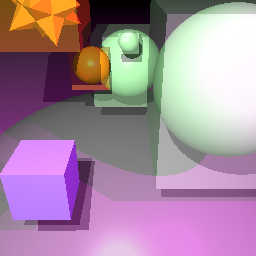

Axis-Aligned Bounding Boxes in Model Coordinate Space

Monday, July 03, 2006

Refraction done this time!!

Hehe I think I can safely say that THIS time I have actually done refraction correctly. It took me a lot of tries to get this right... turns out I had copied down the equation incorrectly, and I was missing a squared term!! :)

Well after all that, this is ACTUALLY correct now. Please disregard all previous posts when I sound excited about my refraction and say I "fixed it" hehe. Now I have *actually* fixed it. :) Good times!! I now have created a much better test image too. Also check out my glass scene!! Wahoo!! It is ACTUALLY refracting now!! Yeeahhh!!


Refraction with Index of 1.22


Refraction with Index of 1.33


Refraction and Reflection together


My table scene now with correct refraction!! Awesome!!

More Refraction Goodness

Well friends I got totally worked up tonight because I spent a while trying to get Refraction correct in my Raytracer, and I have been very careful with CVS up until this point to make sure I check my files into my CVS directory when I get to a specific goal... hehe today I thought I had copied over the refraction code that I spent soooo long trying to fix. Ohhhh man!!

I flipped out for a while, changing negative signs back and forth, and couldn't for the life of me figure out how to fix it.

Anyhow, turns out I had just changed my scene file to have a different index of refraction and it WAS working all along. Crazy!!! :) Hehe I think this means I need to take a break from this. :)

So after all that commotion, things are back to where they were. Looks like an index of refraction of 1.0/1.33 (water) gives a lot of TIR (Total Internal Reflection)... note the black colour inside the sphere. But it looks like values more like 1.52 (for glass) give me a much nicer refraction. Good times. I still am not totally sure if this is correct (it sure is hard to tell) but hopefully this is much closer now that I am doing the "right stuff" when I enter and exit a surface. Booyah.


Refraction with lots of Total Internal Reflection going on


Refraction fixed with an index of 1.52


Refraction with a bit of reflection too

Refraction looking better now

Hi all,

Still not sure if I have refraction right but this is looking a lot better now. It looks like I had my incident ray going in the wrong direction. So I'm still not sure if this is perfectly correct now, but it's certainly a lot closer than what I had before. Sweet. It's also almost 4am again, so I better get to sleep. :)


Refraction looking a bit nicer now

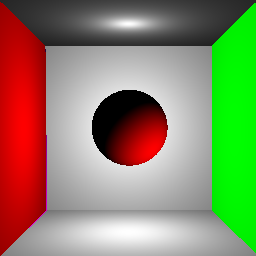
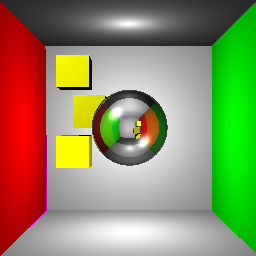
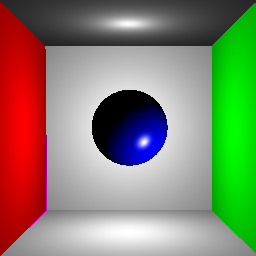
Made a Cornell Box to test my Raytracer

Tonight I checked out the Cornell Box website (http://www.graphics.cornell.edu/online/box/) and got the definition of the official Cornell Box there. This is good cause it'll give me a decent setup to test my Raytracer features.

Initially it didn't work for some reason, but after some effort it appears to be working decently. I don't have Area Lights yet so I had to create a bunch of other lights in the scene in an attempt to light the box decently. It doesn't look great but hopefully it'll do for now until I implement Area Lights.

Tomorrow I have to start reading some Siggraph Papers and I have to get going on Uniform Spatial Subdivisions, today I "put that off" by writing Refraction instead and restructuring some of my Materials code and then doing this stuff here, so I want to get working on that tomorrow cause that should take a few days.


Haha initially it looked totally wrong


Fixed the left side


First attempt at point lighting


Looking better now


Reflection


Added more lighting and some cubes


Glass Material that is not reflecting or refracting


Attempt at Reflection and Refraction


From the other side of the sphere


Refraction with index of 1.33 instead of 1.56. Still not sure if this is right so I am going to have to do some more testing.

Sunday, July 02, 2006

Refraction kinda working

I kindof got Refraction working today, it's hard to tell though cause my glass OBJ model needs some fierce vertex normal interpolation. I am going to make a Cornell Box with some spheres in it instead to test this out - that'll be a much smarter way to make sure everything is working correctly.
So here are a few images, some initial Refraction and then the table scene with refraction incorrect and then (I think) with it fixed to account for when the ray is entering and when the ray is exiting a specified surface. It is starting to look like glass though so that's pretty cool!!!


Reflection and Refraction combined


Initial Refraction, looks sortof right at the bottom of the glass


My normals are crazy, but otherwise this is definitely starting to look like glass

Selective Reflection in Raytracer

Today I added the ability to make certain materials reflective and other materials non-reflective, rather than assigning a reflectivity to the entire scene.


Spheres only are reflective


Base sphere is reflective, main spheres are not


Main spheres and base are reflective, but the base has more transparency, so it is "less" reflective due to a smaller multiplicative transparency factor.

Started Raytracer Project

The Raytracer Assignment is due next Tuesday, and I submitted it last night which is great. Now I have a lot more time to start the Project and get rockin' for that since we technically only have 2.5 weeks for it, and it is potentially a month of work. :) So yes as per my earlier post, I did not go to bed, and I did stay up on Facebook for about half an hour, then booted into Linux and spent a couple hours re-structuring my A4 assignment for my A5 project.

There were a couple of kinda silly things going on in A4 in the supplied code they gave us, like a whole bunch of stuff was passed into the render method and then these STL containers and vectors and points had to be sent as arguments to a whole bunch of methods within the same file. This really needed to be made into a class, so I did that and did a whole bunch of stuff to allow the LUA parsing code to accept this. That was a bit tricky since the LUA code is in C and is not a class either, and I had some issues with making a "Raytracer" object, and making sure I've passed the command-line parameters at the right time and that sort of thing. It worked out pretty well and I don't see a major speed improvement, but I was able to restructure a whole bunch of functions in the main code to allow for better readability and extension (which is key since this is what I am doing for the Project!!) Sweeeeeeeet.

Tomorrow after a bit more refactoring and fixing up the current code, I am going to read the 3 papers my Prof suggested that I read for Uniform Spatial Subdivisions and I am going to start coding it tomorrow. I want to get that done as quickly as possible so I can move onto the rest of the objectives and get that looking good quickly. I have some other ideas for my presentation and some extra features I'd like to do if I have time to do all this fun stuff.

Saturday, July 01, 2006

Canada Day and Kate Hudson

Today was pretty sweet, I finally got some decent sleep which was good... Graphics has been a lot of work lately so I've been going to bed pretty late but it's all good.

I went to the Graphics Lab for a while today to help Yung out with her Assignment and just to chill for a bit. Matt, Matt, Matt's girlfriend Adrienne and I all went to Columbia Lake to check out the Waterloo Canada Day festivities - it was pretty fun. We got a Gyros and random turkish delight, so you gotta love that!!

This evening Matt and I went to get some Rooibos at the freakin' awesome Tea Shop and then picked up Yung and a few other people at the Graphics Lab and went to go see the Canada Day fireworks. Oh yes for my American homeys in the house, July 1st is Canada Day (same deal as your July 4th) so general good times and fireworks etc so that was great.

After this Yung came back to hang out for a while and she reeeeeeeeeeally wanted to watch this movie called Alex and Emma that Kate Hudson is in, it's kinda serious and kinda sad and really funny all at the same time. I think last week I was going on and on about how Kate Hudson is gorgeous, how Kate Hudson is by far the most beautiful woman in the Universe, and so on (I can give at least 20-30 reasons why this is undeniably true) :) Hehe yeah so anyway I was going on about Kate Hudson for whatever reason, and Yung said we had to see Alex and Emma cause it is really good and Kate Hudson rocks in it. Matt and I were a liiiitttle bit apprehensive about a "romantic comedy" but then again, Garden State has a little bit of that romantic comedy kinda vibe to it, and it was so fantastic that it almost hurts to watch it, it's THAT good. :)

Right on. So my sentences are starting to spin round and round in circles, I think it's cause I'm really tired and I am still in Graphics land trying to think about this Spatial Subdivisions algorithm I need to get started on this weekend. Should be sweet but I gotta get rockin' on that tomorrow. Well I'm off to bed (or more likely to Facebook and then to do a bit more work on my Raytracer tonight)... good times. So yes, Canada Day was great, and the movie was sweet. Kate Hudson is so fantastically beautiful that it just blows me away. And that, my friends, is an overly detailed description of all the stuff I did and thought about today. Good times. :)

Oh yeah, and the new Dave Matthews song "Break Free" is glorious, and I cried when I listened to "Sister" cause it's really beautiful.

Dave Matthews Band: Toronto 6-13-2006 download

I finally found two tapings of the DMB show that I went to last month in Toronto (and that was totally awesome).

http://www.dreamingtree.org/details.php?id=1785
http://www.dreamingtree.org/details.php?id=1783

This is the show where they debuted the song "Break Free" and yes, it was totally amazing and I am listening to it riiiiight now. :)

Art'in it up

Today was totally sweet. I handed in my Raytracer Assignment and talked to my Prof about some extra features I am going to do, and he gave me some suggestions of papers to read for Uniform Spatial Subdivisions, so that is pretty sweet, and we talked about Glossy Reflections too, which rocked.

We watched a LOT of Simpsons tonight, it was totally sweet. Also I thought I'd probably earned a break from Programming. :) So I worked on my Fine Arts tonight, and started the painting style of the fruit bowl. I also finished the contour drawing of Matt Parrot, a friend of mine from California. at Pier 39 in San Francisco. This is essentially my first real drawing, so I am kinda psyched about it and I'm pretty happy with it. Sweeeeeeeeeeet.

Ok I guess that's about it. Lots more Graphics tomorrow. I gotta figure out this Spatial Subdivisions crazyness.

Contour drawing of Matt Parrott at Pier 39 - my first "real" drawing!!

Photo of Matt, my reference for this drawing

Painting style instead of point drawing style